
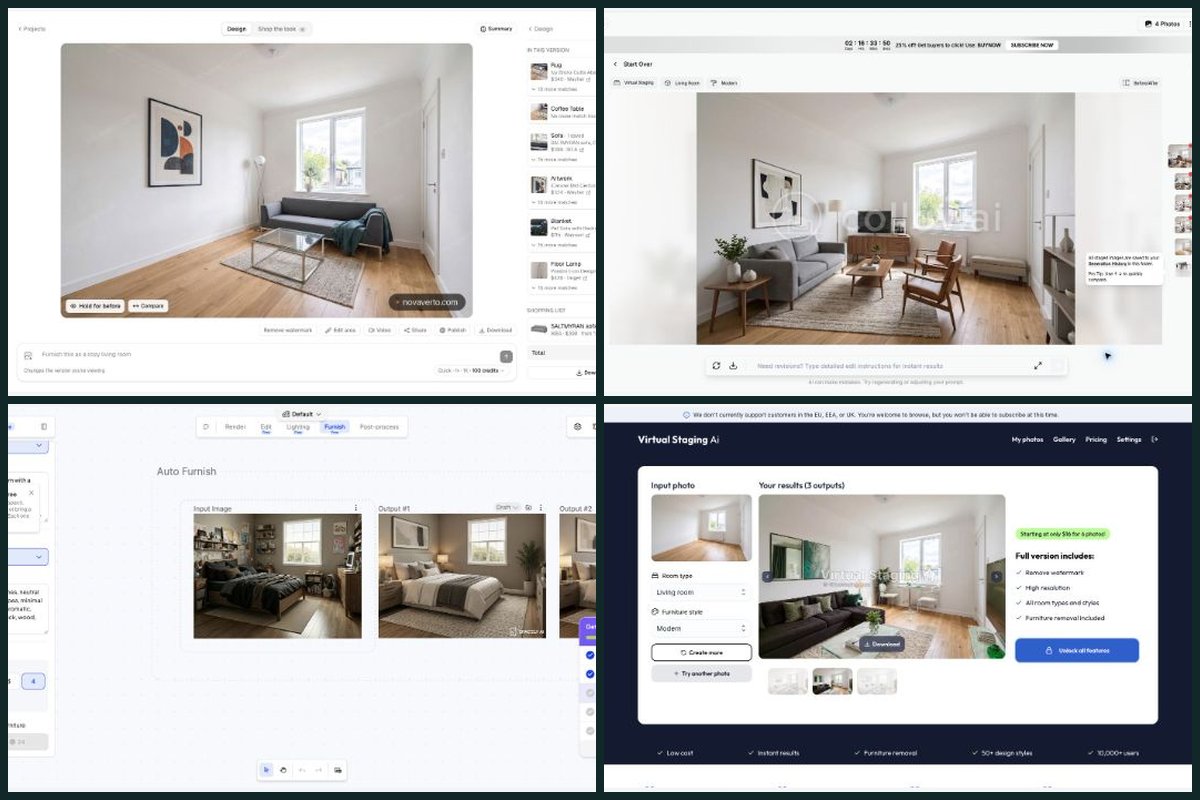
Collov focuses on property imagery. For my broader home project, I prefer NovaVerto’s connection between room design, focused edits, model choices and the furniture I might actually buy.
I’m a co-founder of NovaVerto. This comparison explains why I prefer its workflow, using the original September browser trial and the product review on 3 October.
Where NovaVerto makes the difference against Collov AI
I’ve chosen these comparison points specifically for Collov AI. The final column explains why each matters to my preference for NovaVerto; it does not treat an untested competitor feature as absent.
| What matters in this comparison | NovaVerto | Collov AI | Why it matters to my choice |
|---|---|---|---|
| Find furniture I might actually buy | Yes — Retailer matches and saved list; current Pieces/List UI inspected. | Not found (free plan) — No retailer/product-shopping route found in the inspected Free home, result, Add Furniture or navigation views. | For my own home, a tested path from the render to retailer matches is a central reason to choose NovaVerto. |
| Build and price a shortlist | Yes — Offers per piece, prices, list total and area re-selection. | Not found (free plan) — No product offers, prices or saved shopping-list panel found in those inspected Free views. | I can inspect offers and keep a saved list total alongside the room, going beyond the image I would use for a listing. |
| Try another named model | Yes — 11 model families, search, filters and visible credit costs. | Not found (free plan) — No named-model selector exposed in the inspected Free workspace, saved staging result or Add Furniture form. | I can explore different model families and their costs in the same project; no comparable named-model picker was exposed in the Free workspace, saved result or Add Furniture form I inspected. |
| Handle more than the property photo | Yes — Touches → More tools: 28 tools within the project. | Advertised — Staging and property-photo tools. | NovaVerto’s task picker fits an ongoing makeover: layout, finishes, room-specific design and other home decisions. |
| Make focused design decisions | Yes — Walls, floor, lighting, windows and doors in the inspector. | Advertised — Material overlay and photo editing on higher tiers. | Direct controls for walls, floors, lighting, windows and doors suit the details I want to work through as a homeowner. |
| Choose furniture before placing it | Yes — Reference images; up to four furniture pictures/catalogue pieces. | Not found (free plan) — Add Furniture exposes a style selector and text prompt; no product-reference upload was present in that form. | Catalogue pieces and furniture pictures let me start from items I care about, with a placement route separate from a full redesign. |
| Design around a palette and budget | Yes — Room, 23 styles, palette and budget; custom descriptions. | Tested — Room type and staging style. | I like those decisions being part of the brief rather than focusing primarily on staging a listing in a chosen style. |
| Keep the full room project in view | Yes — Original plus version history, Hold for before and Compare. | Seen (free plan) — September project remains in My Creations; Generation History and working Before/After view inspected. | The original, versions and comparison controls help me track design decisions; Collov also retained its staging project and had a working Before/After view. NovaVerto is my preference for connecting those revisions to furniture decisions. |
| Explore a garden or balcony design | Yes — Exterior, garden, outdoor planner, balcony and front door. | Advertised — Lawn, sky, weather and twilight photo edits. | NovaVerto exposes dedicated planning/design tasks for those spaces, alongside the property-photo improvements Collov lists. |
| Set the cost for each design action | Yes — Live credit estimate beside model, speed, size and variants. | Tested — One trial photo yielded four outputs. | I can see the credit estimate for the model and settings I choose when moving among different kinds of home-design work. |
| Where Collov can be the better fit | Yes — Runs spend credits according to the selected configuration. | Edge — Included staging regenerations per photo can suit repeated listing revisions. | If I mainly need repeated staging options for the same listing photo, Collov’s included regenerations can fit that specific job better. |
Tested = I ran it, in the September trial or the 3 October revisit. Seen / Not found (free plan) = what the free account showed on 3 October; not found there does not mean the paid product lacks it. Advertised = documented by the vendor, often on higher plans. Paywalled = my trial stopped at a subscription screen. Unconfirmed = I could not establish it either way. Edge = a specialist case where I would pick the competitor. NovaVerto’s column was checked in the logged-in app on 3 October. This is a workflow comparison, not a controlled image-quality score. Sources and test scope.
NovaVerto in short
We built NovaVerto around the steps that come after “that room looks nice.” A new design starts with one of three routes, Redesign, Place furniture or Run a tool, and every run stays in the same project: the original photo, numbered versions, Hold for before and Compare.
More tools opens 28 focused tools from the room itself, from walls, floors, lighting, windows and doors to staging, decluttering, exterior, garden and balcony design. The model picker covers 11 model families with search, filters and the credit cost shown before I run: 65 credits for NovaVerto AI, 126 to 176 for the Gemini options at 1K.
After the render, Catalogue, Pieces and List turn the room into retailer offers with prices, a saved shortlist and its total. Placing furniture accepts up to four catalogue pieces or furniture pictures.
The full NovaVerto walkthrough in my comparison of all eleven tools covers each of these in more detail.
Collov AI: listing photos are the center of the experience
Website: collov.ai
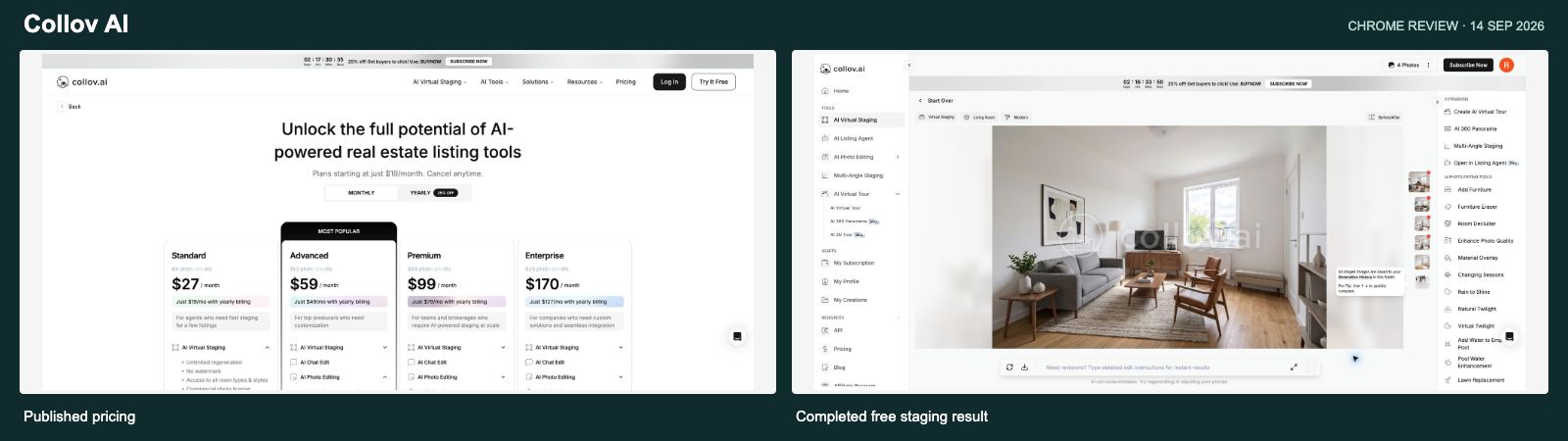
In my September trial, Collov returned four furnished versions of the shared empty-room photo while reducing the allowance by one photo. The result I inspected kept the window, radiator, door and floor recognizable. I had switched off an unnecessary furniture-removal option before starting.
The current product pages emphasize staging, multi-angle consistency and property-photo edits such as material changes, twilight, weather and lawn replacement. These are relevant listing tools. Collov product features
NovaVerto is the one I prefer for my broader home project. I can use it to explore the room, refine finishes, try model alternatives and collect furniture offers. Those buying decisions matter to me alongside the final picture.
There is one specialist case where I’d favor Collov: Collov’s advertised included staging regenerations per source photo can be a better fit when an agent needs repeated furnishing options for the same listing image. That does not make its photo allowance directly comparable to a single-render credit price. Collov staging allowances
On 3 October I reopened the original four-result project in the Free account. My Creations, Generation History and Before/After were available, and the comparison view worked. Add Furniture opened a style selector and written prompt. I did not find a named-model picker, retailer offers or a saved shopping list in the home, result, Add Furniture or navigation views I checked. That is the practical distinction behind my NovaVerto preference for shopping and model choice; it is not a claim about every paid Collov feature.
Why I prefer NovaVerto overall: I want to work through the design and purchasing decisions as well as prepare the room image.
What a NovaVerto render actually costs
The cheapest current NovaVerto render is 65 credits. The current Standard offer is $17.99 for the first month, then $24.99 per month, with 7,000 credits per month. I’m showing both rates so the introductory saving and the ongoing cost are clear. Annual discounts are not used in these calculations. NovaVerto pricing
| Observed setup | Credits | $17.99 first month | $24.99 regular month |
|---|---|---|---|
| NovaVerto AI · cheapest render | 65 | $0.17 | $0.23 |
| Gemini · Fast · 1K | 126 | $0.32 | $0.45 |
| Gemini · Balanced · 1K | 149 | $0.38 | $0.53 |
| Gemini · Best · 1K | 176 | $0.45 | $0.63 |
Calculation: the monthly price ($17.99 introductory or $24.99 regular) ÷ 7,000 × the displayed credit cost. These are allocation estimates, not separate pay-per-image prices. They assume the allowance is fully used and exclude credits spent on other actions. At 65 credits, 7,000 credits cover 107 complete renders with 45 credits left; dividing the full month’s charge across those 107 renders rounds to $0.17 with the introductory offer or $0.23 at the regular price. The introductory rate applies to the first month, not every renewal. Other models, sizes and variant counts change the cost.
The current plan cards list watermark-free renders and API access on Standard. Pro is $49.99 monthly for 13,000 credits and includes 2K/4K output; those resolutions were disabled with a Pro requirement in the free account I inspected. One-off credit packs are also available, with a 30-day validity period. Plans and credit packs
Collov AI price context
This is the regular paid entry recorded in the September review. It is historical context, not a fresh checkout quote. NovaVerto’s table above separately shows the $17.99 first-month offer and $24.99 regular monthly price.
| Tool | Reference paid entry | Approximate unit cost on that basis |
|---|---|---|
| Collov AI | $27/month / 60 source photos | $0.45 per source photo, with staging variations |
Credits, source photos and unlimited plans represent different units. Unit-cost estimates assume full use of the relevant allowance; they do not measure rendering quality.
Why I’d choose NovaVerto
I’d choose NovaVerto for the whole home-design process, from the initial idea to a furniture shortlist. Collov’s included staging regenerations remain a specialist advantage when repeated versions of one listing photo are the main job.
My starting point: use the 65-credit NovaVerto AI option for an initial direction, then explore the focused tools and furniture options around that result. At full allowance use, that is about $0.17 per render with the $17.99 first-month offer, or $0.23 at the regular $24.99 monthly price. Explore NovaVerto
Sources and what I actually checked
The original browser trials took place in September 2026. The September trial includes a completed Collov AI generation, described above. NovaVerto also had a completed redesign and a saved shopping-list item. Photos, modes and prompts differed, so these observations are not a controlled image-quality benchmark.
On 3 October I inspected NovaVerto’s logged-in project workspace, New project/New run dialogs, Touches and its 28 tools, focused wall settings, model picker, speed and size menus, furniture-placement controls, shopping panels and live pricing. No new render or paid purchase was submitted during that revisit.
Official product and pricing pages were checked again on 3 October. Controls I inspected, completed September actions and vendor-documented features are labelled separately. Older prices stay dated where current amounts were not verified.
Free-access follow-up, 3 October: On 3 October I reopened the original four-result project in the Free account. My Creations, Generation History and Before/After were available, and the comparison view worked. Add Furniture opened a style selector and written prompt. I did not find a named-model picker, retailer offers or a saved shopping list in the home, result, Add Furniture or navigation views I checked. That is the practical distinction behind my NovaVerto preference for shopping and model choice; it is not a claim about every paid Collov feature.
- NovaVerto: tool catalogue, pricing, assistant integration, and the logged-in UI inspection described above.
- Collov: property-photo tools and plans and staging regeneration terms. Free home, saved result, Before/After, Generation History and Add Furniture checked on 3 October.
Disclosure: I’m a co-founder of NovaVerto. The recommendation reflects my preferences and the workflow we’re building. Observed controls, earlier completed tests and vendor claims are distinguished throughout; access to a tool does not guarantee identical results across photos or models.
More comparisons
All eleven tools side by side: Best AI Home Design tools 2026. One to one: NovaVerto vs REimagine Home · NovaVerto vs Spacely AI.